
Just a few minutes ago, Microsoft ended its conference on the new operating system, which was held in San Francisco. I think many would agree that Microsoft really surprised us.
The presentation began immediately with the presentation of the new Windows operating system. And here the spectators waited for the main surprise. Experts from Microsoft decided not to call Windows 9, as everyone expected, but give it the name Windows 10. According to them, the name Windows 1 is already taken, but they wanted to emphasize that their new operating system is radically new and worthy of the name starting with units.

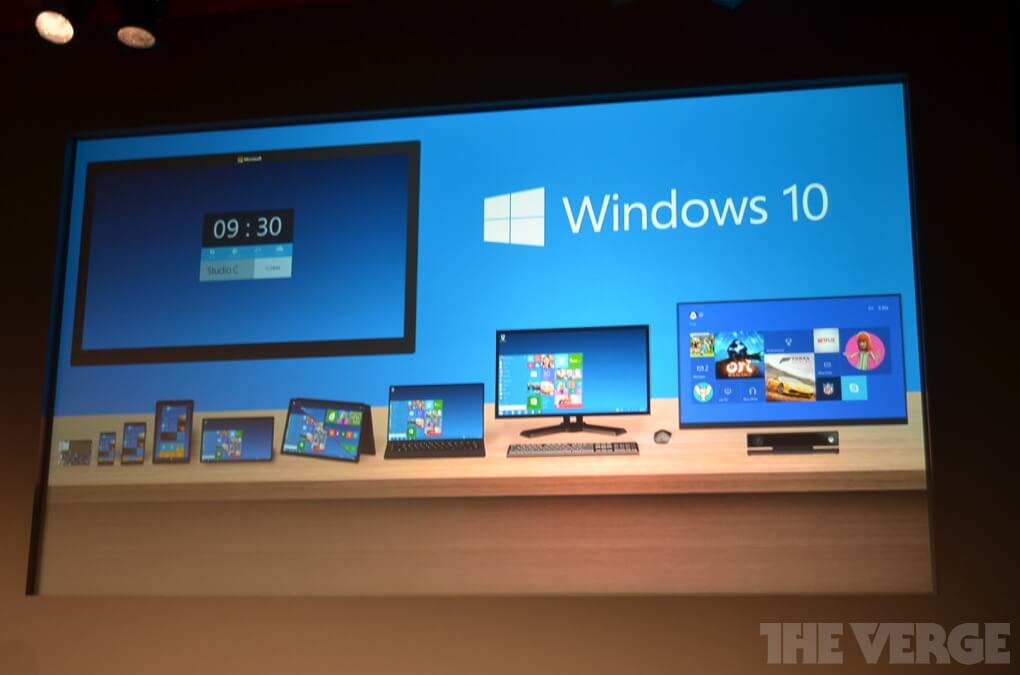
The main feature of Windows 10 is that it will now run on all types of devices, be it PCs, tablets or smartphones. Microsoft has created a single platform for which applications can be installed from a single application store, and the program will immediately appear on all your devices.
Also, many improvements have been made to the Windows version for corporate segments. According to Microsoft, they have created powerful personal data protection that will be synchronized between devices.

Let's go to the Start menu. As expected, Microsoft has partially returned to the classic version of the Start menu, but it did not completely remove its tiled interface. But although the Start menu is similar to the one in Windows 7, its features have also been improved. One of the small innovations is the ability to resize the Start menu.

Then it was a big difference in the application interface between previous versions: Windows 7 and Windows8. Metro interface applications in Windows 8 were launched at once on the whole screen, which many users of full-fledged computers did not like very much. Therefore, Microsoft in Windows 10 paid more attention to users of desktop versions of applications.

Another major change in Windows 10 is multitasking. Microsoft was able to completely rework the interface for selecting the running application, both during normal switching and in the lower menu of the taskbar.

The next update is mostly for advanced Windows users. In Windows 10, the command line was improved. And, as noted, outwardly, it is not much different from previous versions, and the main changes lie in the functionality. For example, now in the command line, you can use the key combination CTRL + V.

Users of touch devices were not ignored either. With Windows 8, many gestures migrated to the new OS, which caused, for example, multitasking mode or the right sidebar. Also, the Start menu can still be launched in full screen mode.


Starting tomorrow, the Windows 10 Technical Preview version will be available for PCs and laptops. For other devices, this version will appear for download a little later. The final version of Windows 10 will be available in 2015.
According to Microsoft, when creating Windows 10, they tried to please both users of full-fledged computers, and users of tablets and smartphones. They radically reworked the interface, making it more friendly for all users.

Unfortunately, Microsoft did not answer the pricing question, as well as the question of which OS users will be able to upgrade.
Based on TheVerge.
The article is based on materials .
Comments
Post a Comment